
Many Android users wonder can you use an Apple Watch with an Android phone in 2025, especially as smartwatches continue to evolve. The short answer is complicated, because Apple designs its devices to work best inside its own ecosystem. This raises big questions for anyone hoping to pair an Apple Watch with a non-Apple device. While there are creative workarounds, they come with clear limits that affect everyday use.
Features like notifications, health tracking, and connectivity may not function the way you expect. Understanding these restrictions helps users decide whether the effort is worth it. The truth is shaped by Apple ecosystem restrictions, OS compatibility issues, Apple Watch limitations on Android, Pair Apple Watch with Android, and Use Apple Watch without iPhone.
Can You Really Use an Apple Watch With an Android Phone?
Understanding whether you can actually pair Apple Watch with Android begins with one key detail: Apple did not build the watch to work with Android phones. The watch relies heavily on iOS for activation, app syncing, messaging functions, and system updates. Even though the Apple Watch LTE independent use gives the impression that it operates alone, the truth is that Apple designed it to be tightly connected to an iPhone during setup. This creates an uneven experience for anyone hoping to use an Android smartphone pairing method in daily life.
The second part of the answer is more hopeful. While the Apple Watch cannot directly pair with an Android phone, the Apple Watch cellular model can still function on its own once activated on an iPhone. This means you can receive calls, send messages, and track workouts, but the experience becomes very limited. In the U.S., this workaround depends heavily on network activation rules from AT&T, Verizon, and T-Mobile, making the setup different for each user. Even then, many features remain blocked due to Apple ecosystem restrictions that prevent real integration with Android.
Why Apple Watch Doesn’t Work Natively With Android
The biggest reason behind the lack of native connection is the deep conflict between watchOS vs Wear OS. Apple designed watchOS to communicate only with iOS, while Android watches run Wear OS, creating a wall of Bluetooth and software restrictions that prevent direct communication. This separation is not an accident. It is part of Apple’s closed ecosystem, an approach built to maintain control over performance, security, and user experience.
There is also a legal angle. The DoJ antitrust Apple case revealed internal documents showing that Apple explored Android compatibility but ultimately claimed it was impossible due to technical limitations. These limitations were never fully explained, but experts believe they relate to the huge infrastructure incompatibility between iOS and Android, making secure communication and data transport extremely difficult without rewriting large parts of both operating systems.
What You Need Before Trying to Connect Apple Watch to Android
Anyone attempting this workaround in 2025 needs several things before getting started. The most important requirement is an iPhone because the iPhone needed for Apple Watch setup remains mandatory. You cannot activate an Apple Watch without signing into an iCloud account pairing, downloading apps, and linking your number through iOS. This applies to all models, including the Apple Watch Series 11 and newer.
You also need a working SIM plan. If you use a physical SIM, you must move it between your devices using a compatible SIM tray. If your carrier uses an eSIM, the process involves digitally transferring it, which is more complex. The table below shows how SIM card compatibility (nano SIM, micro SIM, eSIM) affects setup.
SIM Compatibility Table
| SIM Type | Works for Setup | Notes |
| ——— | ————— | ——————————————————————— |
| Nano SIM | Yes | Most U.S. Android phones and older iPhones use nano SIM. |
| Micro SIM | Rare | Only works on old Android phones. Not compatible with modern iPhones. |
| eSIM | Yes | Requires carrier assistance for transfer between Android and iPhone. |
How to Set Up an Apple Watch to Work With an Android Phone
The activation process always begins with pairing the watch to an iPhone. You must turn on both devices, keep them close, and use the camera to complete pairing. During this stage, the watch downloads apps, activates your cellular line, and prepares basic features. The watch will not function correctly if you skip this step since all Apple Watch setup requirements depend on iOS.
Once activation is complete, you must turn off your devices, move your SIM card or transfer your eSIM back to your Android phone, and power on the watch again. At this moment, the watch connects to the network using the number from your Android phone, allowing limited functions through LTE. However, many features instantly break because the watch no longer communicates with iOS, causing Apple Watch messaging limitations for SMS and major issues with iMessage and SMS compatibility.
What Features Will Work When Connected Indirectly
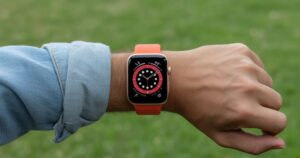
Some features still operate surprisingly well. The watch can make and receive calls, track daily activity, record heart rate, and show notifications from built-in features that do not rely on iOS. The independent functions of the Apple Watch cellular version allow it to operate like a miniature phone, especially when used outdoors or during exercise. This includes most fitness and health monitoring on Apple Watch that works without syncing to an external app.
You can also use apps that do not require iPhone support, such as the timer, stopwatch, alarms, and certain offline applications. These features remain stable even when disconnected from iOS because they rely on internal hardware. However, the lack of syncing to Apple Health and Fitness apps becomes a major drawback over time because none of your metrics transfer to Android.
What Features Will Not Work at All on Android
Can you use an apple watch with an android phone? Many functions fail completely once the watch loses communication with an iPhone. Payment systems like Apple Pay and Siri not working is one of the biggest limitations. The watch cannot process payments, use shortcuts, or access voice commands because these depend on secure protocols only available on iOS. This creates a large gap for anyone who uses the watch as a convenience tool.
Most third-party features also stop functioning. Anything that requires iPhone support, including shared notifications, shared settings, and app syncing, becomes unavailable. Even on-device features not working on Android include message syncing, visual voicemail, advanced health tracking, voicemail alerts, and real-time data sharing because Android cannot supply the protocols required by watchOS.
Technical Hurdles That Prevent Full Compatibility
The greatest technical barrier is the deep connection between watchOS and iOS, which prevents Android from reading or sending the data the watch needs. This is why technical limitations of Apple Watch become impossible to bypass without rewriting major system components. The Bluetooth pairing method between the watch and iPhone uses proprietary security layers, meaning Android cannot decode the signals.
Another major hurdle is the firmware cycle. Every update triggers Apple Watch firmware updates through the Watch app on iOS. Android offers no way to push these updates, which leaves the watch vulnerable over time. This makes long-term use impossible because you eventually need to update the device, forcing re-pairing Apple Watch to iPhone again.
User Experience Drawbacks and Practical Compromises
Using this method in daily life quickly feels inconvenient. Messaging reliability drops because the watch loses access to iMessage and struggles with SMS delivery. This leads to unpredictable behavior that frustrates users who expect the smooth performance seen on the iPhone. Many also face problems reconnecting to their carrier after network switches, creating additional instability.
Security concerns arise when people turn to third-party apps (Wear OS, WatchDroid) to bridge the gap. These apps cannot guarantee data safety because they often bypass system controls. The result is a higher risk of vulnerability, making the experience unreliable and potentially unsafe. This is why security experts warn against using such apps on U.S. networks that prioritize strict privacy rules.
Alternative Smartwatches for Android Users
Users in the U.S. have excellent alternatives that work naturally with Android. The Samsung Galaxy Watch 8, Google Pixel Watch 4, and Garmin and Fitbit smartwatches deliver smooth
performance without any restrictions. These devices support Google services, integrate with Android apps, and offer stable tracking without depending on another operating system.
To help you compare, the table below highlights important differences.
Comparison Table: Apple Watch vs Wear OS vs Garmin
| Feature | Apple Watch | Wear OS (Pixel/Samsung) | Garmin/Fitbit |
| ——————— | ————– | ———————– | ———————– |
| Android Compatibility | Very Limited | Excellent | Excellent |
| Health Tracking | Strong | Strong | Strongest for athletes |
| Payment Support | Apple Pay Only | Google Wallet | Garmin Pay / Fitbit Pay |
| Setup Requirements | iPhone Needed | Android Only | Android or iPhone |
| LTE Independence | Yes | Yes | Varies |
Conclusion
In the end, the question “can you use an Apple Watch with an Android phone” has a clear but frustrating answer for most users.While you can activate an Apple Watch and use it independently with cellular, the experience is incomplete and unpredictable. The watch loses too many features, struggles with updates, and requires constant back-and-forth switching with an iPhone. The result rarely satisfies long-term users.
For anyone in the United States, choosing an Android smartwatch alternatives such as the Galaxy Watch or Pixel Watch remains the smarter choice. These devices offer better compatibility, stronger performance, and far fewer compromises. The Apple Watch remains a powerful device, but it was never designed for Android. Until that changes, the safest option is to choose a smartwatch built for your ecosystem.
FAQs
Q1-Can I connect an Apple Watch to an Android?
No, you can’t directly connect an Apple Watch to an Android phone. Apple blocks pairing through software, Bluetooth protocols, and activation requirements. The watch must be paired with an iPhone first, and even then, it won’t function as a true companion device for Android. Workarounds exist, but they’re unstable and extremely limited.
Q2-Can you use an Apple Watch without owning an iPhone?
You can use an Apple Watch after it has been set up with an iPhone, but you cannot complete the initial setup without one. Even cellular models still require an iPhone for activation, updates, resetting, and adding carriers. So technically, yes—you can use it afterward—but practically, you still need an iPhone at the start.
Q3-Why won’t my Apple Watch send messages to Android?
Apple Watch messaging relies on iMessage, which does not work on Android. The watch cannot send SMS directly through an Android phone because it needs an iPhone’s message routing system. Without an iPhone nearby or connected, the watch simply has no way to deliver SMS or iMessage to an Android user.
Q4-What features are limited on Android with Apple Watch?
Almost every major feature becomes limited or unusable when trying to use an Apple Watch with an Android phone, including:
- No iMessage or SMS support
- No Apple Health syncing
- No Apple Pay
- No Siri
- No App Store access
- No notifications from the Android phone
- No firmware updates
- No full fitness or GPS data syncing
- No iCloud or Apple ecosystem integration
Only basic on-device functions like time, alarms, offline music, fitness tracking, and LTE calling (if activated through an iPhone) may work.
Q5-Is it worth having an Apple Watch with an Android phone?
In most cases, it is not worth using an Apple Watch with an Android phone. While the watch can operate independently after initial setup with an iPhone, many key features are blocked. Things like Apple Pay and Siri not working, Apple Health and Fitness apps, iMessage and SMS compatibility, and firmware updates make the experience incomplete. Users face constant workarounds, network issues, and limitations in messaging and notifications. If you want a smartwatch that fully integrates with your Android device, it is far better to choose a Samsung Galaxy Watch 8, Google Pixel Watch 4, or other Android smartwatch alternatives.
Q6-Can you link Apple to Samsung?
Directly linking an Apple Watch to a Samsung phone is not possible because of Apple ecosystem restrictions and OS compatibility issues. The Apple Watch requires iOS for activation, syncing apps, and performing updates. Samsung devices run Wear OS or Tizen, which are incompatible with watchOS. If you want a smartwatch that works with Samsung phones, the Galaxy Watch 8 or other Wear OS watches provide full integration, including messaging, fitness tracking, payments, and app support, without relying on iPhone setup or complex workaround.
Meta Description
Find out if you can use an Apple Watch with an Android phone, what works, what doesn’t, and the best alternatives for 2025.


# Spintax Version:
Рад приветствовать всех, кто планирует поездку в Калининград! Если вас заботит, можно ли плавать в Калининграде летом, необходимо знать, что температура моря в Балтийском море у берегов Калининграда в августе в среднем достигает приятных 18-20 градусов, что способствует насладиться летним сезоном на amber beach или Куршской косе. Зимой, очевидно, море прохладное, и зимой температура в Калининграде нередко держится около 0 градусов, вместе с тем город прославлен своей особенной архитектурой, старинным районом и великолепными улицами, а также органными концертами в соборном храме.
Если вы желаете узнать глубже о том, куда заглянуть вечером в Калининграде или что изучить в Гвардейске и Светлогорске с чадами, рекомендую посетить локальные замки и форты, к примеру, форт № 11 – Дёнхофф, а также музей с янтарем. Для составления маршрута и нужной информации можно обратиться сюда калининград какое море омывает . Более того, в Калининграде достаточно уютных кафе с утренним меню, а также интересных мест для walks, среди которых зеленоградск и деревню рыбаков – превосходное место для времяпрепровождения всей семьей.