


When your AirPods suddenly stop during music, videos, or calls, it is natural to wonder why do my AirPods keep pausing again and again. This common issue can happen because of sensor glitches, Bluetooth interference, or low battery problems that lead to unexpected audio interruptions. Many users also face situations where AirPods pausing randomly becomes more frequent in crowded places or during movement.
Sometimes Automatic Ear Detection issues or AirPods Bluetooth problems cause the earbuds to misread your ear position, leading to constant pauses. Understanding these causes makes it easier to apply the right AirPods troubleshooting steps and fix the problem for good.
What Causes AirPods to Pause Randomly? (Full Breakdown)
Many users search for answers when their AirPods act strangely, wondering Why do my AirPods keep pausing during songs or videos. The most common reasons include faulty sensors, Bluetooth conflicts, uneven battery levels, or app glitches. Some users experience AirPods connection drops when walking, working out, or riding on public transport because Bluetooth signals struggle with interference from crowded places or physical obstacles. Others notice AirPods pausing in public places due to microwaves, Wi-Fi networks, and wireless speakers causing unpredictable Bluetooth connectivity issues with AirPods.
A major reason is the built-in proximity sensors that control Automatic Ear Detection issues, which can sometimes misread your ear position. When AirPods sensors are not working correctly, they mistakenly think you removed an earbud and pause your audio. This problem becomes noticeable when you move, sweat, or adjust your hair. Some users experience AirPods audio lag or pause because of older firmware or outdated iOS versions.
Automatic Ear Detection Issues
Automatic Ear Detection is designed to pause audio when you remove your AirPods. However, it can become overly sensitive and trigger AirPods stopping during playback even when the earbuds are still in your ears. Many people search How to disable Automatic Ear Detection
because sweat, dirt, or slow sensors can easily confuse the ear-position system. This often leads to AirPods not working properly and unexpected pauses during calls or music.
The issue becomes worse if the sensors are dirty or the ear tips do not fit properly, causing false readings. When AirPods sensors are not working, the pausing becomes more frequent, especially during exercise. Cleaning the sensors or temporarily disabling the feature often reduces AirPods audio interruptions and helps diagnose the main cause.
Bluetooth Connectivity Problems
Bluetooth instability is a major cause of AirPods pausing randomly. When wireless signals overlap, your earbuds struggle to maintain a stable connection. This leads to AirPods keep disconnecting, audio drops, or short pauses. Many users face Bluetooth interference in gyms, bus stations, airports, or offices. These places have strong Wi-Fi signals, metal objects, and dozens of Bluetooth devices competing for space. This creates crowded places Bluetooth interference that forces your AirPods to pause, lag, or stop.
Sometimes the issue comes from the iPhone itself. Outdated software, overloaded Bluetooth cache, or battery optimization settings can trigger AirPods connection problems. Resetting the Bluetooth module in Settings or restarting the iPhone often reduces Bluetooth connectivity issues with AirPods during calls and streaming.
Low Battery or Uneven Battery Drain
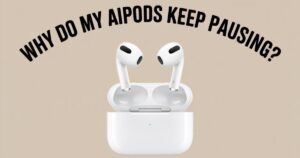
Many users do not realize that Low battery AirPods can cause playback to pause or stop completely. When one earbud loses charge faster than the other, the system becomes unstable, leading to uneven pairing and audio interruptions. This is a common reason for AirPods battery drain, especially on older devices. When the left or right AirPod drops below ten percent, the audio may pause or disconnect automatically.
Even when the case has charge, the earbuds might drain independently due to age, temperature, or firmware issues. Many users report Power-saving mode AirPods appearing unexpectedly, causing the earbuds to reduce performance to preserve battery. Updating the firmware often fixes battery imbalance and prevents AirPods audio lag or pause during long listening sessions.
App-Specific Glitches (YouTube, Spotify, TikTok, Netflix)
Streaming apps handle audio differently, and sometimes an app issue may cause AirPods stopping during playback rather than a hardware problem. For example, YouTube may buffer
slowly, TikTok may reload videos, and Spotify may pause if the app crashes in the background. These app compatibility problems often cause temporary pauses that users mistake for AirPods issues. Many users believe the earbuds are faulty, but the problem is usually an unstable app or corrupt temporary files.
Another common reason is the app switching audio modes. For example, TikTok automatically switches from music to video audio formats, which can create a slight pause. When these transitions combine with AirPods audio interruptions, users experience frequent stopping or lag. Restarting the app or clearing cache helps restore stable performance.
iPhone and iOS Software Bugs

Sometimes the problem is not the AirPods at all but the iPhone’s software. iOS bugs frequently cause AirPods pausing because of notifications, routing glitches, or temporary Bluetooth freezes. Many users experience AirPods software bug fix moments when updating the phone removes the issue instantly. Apple releases updates regularly to fix AirPods firmware update problems that cause pauses, disconnects, or audio delays.
If the phone is running an older version of iOS, it may fail to handle Bluetooth priority, especially during apps like FaceTime or games. When the system struggles with multitasking, users face AirPods connection drops and short pauses. Updating both the iPhone and AirPods firmware helps remove these bugs permanently.
AirPods Range Limitations & Physical Barriers
Even though AirPods have a wide Bluetooth range, walls, furniture, and other obstacles can cause AirPods range issues. The farther the iPhone is from the AirPods, the more likely you are to experience Interference causing AirPods disconnects. Thick walls, metal surfaces, water, and glass all weaken signal strength. When the signal becomes too weak, the AirPods pause to reconnect automatically.
Users often face this issue when walking around the house or leaving their phone in a pocket behind thick fabric. Range limitations are also common in gyms where metal equipment blocks signals. This leads to AirPods pausing in public places especially in large open environments filled with other wireless devices.
Notification Interruptions & Audio Routing Issues
Notifications can instantly pause your media, especially when the audio routing system becomes confused. iPhones sometimes switch audio from apps to alerts or calls, causing AirPods audio interruptions. Many users face situations where the earbuds stop because of messages, reminders, or calendar alerts. This makes people wonder How to stop AirPods from pausing during daily tasks.
Audio routing issues occur when multiple apps request sound at the same time. When Siri activates or a call starts, the AirPods temporarily pause. These moments create small interruptions that feel like glitches but are simply priority shifts within the device.
Fixes for AirPods Keeps Pausing (Complete Troubleshooting Guide)

There are many ways to fix AirPods pausing randomly, and most solutions can be done without tools. Many users find immediate improvement after toggling Automatic Ear Detection, resetting the Bluetooth connection, or performing a full firmware update. When users learn Fix AirPods pausing issue steps, they can remove most interruptions permanently. Cleaning sensors also reduces false readings that trigger Automatic Ear Detection pauses.
A full reset helps solve deeper problems. People often search How to reset AirPods to factory settings, and doing so removes bugs, cache issues, pairing conflicts, and corrupted firmware. After resetting, earlier AirPods connection problems often disappear.
Advanced Fix – Use Noise Cancellation Apps Like Krisp to Reduce Interruptions
Noise cancellation helps avoid environmental interference that can trigger AirPods noise cancellation not enough situations. Apps like Krisp help reduce microphone interruptions from loud surroundings. This makes them useful for calls, meetings, and crowded environments. Many users find that using Krisp noise cancellation stabilizes call audio and prevents unexpected pauses due to voice activation or background sounds.
To use Krisp with AirPods, first open the Krisp app and sign in. Then go to Audio Settings and select Use Krisp with AirPods as the microphone and speaker input. Once active, Krisp removes noise using AI, which reduces random activation triggers that cause pauses. These steps help minimize AirPods audio interruptions during calls and streaming.
When You Should Contact Apple Support
If you have tried all troubleshooting steps and still face AirPods not working properly, it may be a hardware defect. Persistent AirPods disconnecting, failing sensors, damaged batteries, and repeated firmware failures require professional diagnosis. Apple checks the device to confirm if the sensors are faulty or if internal components affect signal stability.
Users whose AirPods pause frequently after drops or water exposure may require replacements. Apple also provides tests to verify whether AirPods stopping during music is caused by firmware corruption or defective hardware.
Conclusion
Now you understand Why Do My AirPods Keep Pausing and how different issues such as sensors, Bluetooth interference, software bugs, low battery, and range limitations create audio interruptions. You also learned how to apply effective solutions like disabling Automatic Ear Detection, updating firmware, adjusting app settings, and using Krisp for noise cancellation. Following these methods helps reduce AirPods audio lag or pause and ensures stable performance during daily use. With the right troubleshooting steps, your AirPods can work smoothly again and avoid future interruptions.
FAQs
Q1-How do I stop AirPods from auto pausing?
Auto-pausing is usually caused by Automatic Ear Detection issues. To stop it, open Settings > Bluetooth, tap the (i) next to your AirPods, and toggle “Automatic Ear Detection” off. This prevents your AirPods from pausing when sensors misread your ear position.
Q2-Why do my AirPods suddenly stop playing music?
Music can stop due to AirPods pausing randomly, low battery, app glitches, or Bluetooth connectivity issues with AirPods. It may also happen when notifications interrupt playback or if your AirPods are out of range.
Q3-Why do my AirPods cut out every few seconds?
Frequent cutouts are often caused by AirPods range issues, Bluetooth interference, or crowded places Bluetooth interference. Physical barriers like walls or metal objects can weaken the connection and cause repeated pauses.
Q4-Why do my Bluetooth headphones keep pausing my music?
Other Bluetooth headphones pause due to similar reasons: Automatic Ear Detection issues, low battery, software bugs, or interference from other wireless devices. Updating firmware or resetting the headphones usually helps.
Q5-What is the average lifespan of AirPods?
AirPods generally last “3–5 years” depending on usage, battery cycles, and care. The battery capacity gradually decreases, which may cause more AirPods audio interruptions over time.
Q6-Could a dirty AirPod cause disconnects?
Yes. Dirt, earwax, or debris can block sensors, causing AirPods sensors not working properly. This may lead to AirPods stopping during music, auto-pausing, or connection drops. Cleaning with a soft, dry cloth or brush usually fixes the problem.
Meta Description
Discover why your AirPods keep pausing and learn quick fixes to stop interruptions, improve connection, and enjoy smooth, nonstop audio.



If you are exploring your style through seasonal color analysis, tools like Color Analysis Pro or various free online quizzes can be a fantastic start to understanding your personal palette. For example, if you’re interested whether you belong to the deep summer color season, learning about the deep summer palette—known for its chilly, muted, and soft hues—can certainly help in choosing clothing and makeup that accentuate your natural features.
If you want a more exact assessment, AI color analysis apps present personalized insights by scanning your skin tone, including widely-used options for yellow skin tone colors to wear or even distinct palettes like soft autumn and light summer. For those curious how to cancel Color Analysis Pro or navigate its features, instructions and community tips are usually shared on forums and authorized sites autumn colour palette . This way, you can browse seasonal colors, hair color trends for 2026, and even virtual hair color try-ons without trouble.
https://yumpu.com/user/tickets.burjkhalifa
Если решили поездку в Калининград, точно посетите Рыбную деревню — это очень атмосферных мест города с гостеприимными ресторанами и чудесным видом на море. Заметим, туристы интересуются, какое море в Калининграде — это Балтийское, и нужно помнить, что купаться в нём реально, но температура воды летом зачастую прохладная. Чтобы ознакомиться детальнее о достопримечательностях, например, о кафедральном соборе Святых Петра и Павла, острове Канта и маршрутах по Амалиенау, ознакомьтесь сюда концерты в соборах и храмах москвы .
Зимними днями Калининград по-прежнему очарователен — хотя погода холодная и море в Калининграде зимой зябкое, красивые улицы старого города и фортов создают уникальную атмосферу. Для ценителей музыки предлагаю сходить на органные концерты в кафедральном соборе — на территории области есть самый большой орган в России. Если хочется знать, когда лучше ехать в Калининград, то май и сентябрь выступают превосходным временем с мягким климатом и возможностью оценить завтраками в атмосферных кафе.
Если вы планируете поездку в Калининград и размышляете, какое море омывает этот населённый центр, то это, несомненно, Балтийское море. Немало людей задаются вопросом, можно ли принимать морские ванны в Балтийском море в Калининграде — пляжный сезон здесь непродолжительный, вода порядочно прохладная, особенно в начале лета. Лучшее время для пляжного отдыха — июль и август, когда прогрев воды выходит на комфортных отметок. Дополнительно о температуре воды и климатической обстановке в Калининграде можно почитать на специализированных сайтах что привезти из калининграда .
Наряду с моря, обязательно посетите знаменитый Танцующий лес и Калининградский зоосад — билеты туда сейчас просто купить онлайн. Не забудьте наведаться на остров Канту и совершить прогулку по району Амалиенау, его пешие тропы отлично оборудованы для самостоятельных прогулок. Почитателям органной музыки настоятельно рекомендую органный концерт в храме собора — здесь расположен самый большой орган в России, и энергетика просто чарующая. Вечером можно посетить в рыбную деревню или отправиться на концерт в органный зал — восторга хватит надолго!