

Wondering if I can connect AirPods to PS5? Many gamers face this question because the PlayStation 5 does not natively support PS5 Bluetooth audio, leaving Apple users frustrated. While Sony restricts direct connections to prevent PS5 audio delay and maintain low latency, there are effective AirPods PS5 workaround methods that let you enjoy wireless sound.
From using a Bluetooth adapter for PS5 to leveraging a smart TV or the PS Remote Play app, these solutions enable players to use AirPods with PlayStation 5 without losing audio clarity. This guide explores all options for smooth and immersive gameplay.
What You Need Before Connecting AirPods to PS5
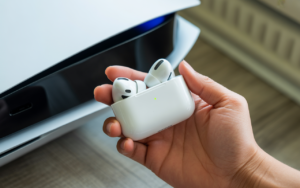
Before using any AirPods PS5 workaround, you must fully charge your AirPods and place the case near the console. Keeping the buds ready makes the steps to pair AirPods with PS5 fast and smooth. You also need a stable internet connection for any streaming solutions.
Gamers often ask why PS5 doesn’t support Bluetooth audio, but the reason involves Sony prioritizing consistent low-latency sound. To overcome this limit, you may need a Bluetooth adapter for PS5, smart TV with Bluetooth, or the PS Remote Play app. These devices unlock smooth PS5 audio output to headphones.
Method 1 – Connect AirPods to PS5 Using a Bluetooth USB Adapter
This method works best because a USB Bluetooth dongle PS5 creates a direct wireless link. Most players prefer a Bluetooth 5.0 USB adapter since it reduces interference and improves AirPods stereo sound PS5 quality. Insert the dongle into your PS5 and place your AirPods in pairing mode.
Many gamers search for the best Bluetooth adapter for PS5, and brands like Creative, Avantree, or Genki give reliable sound. The adapter sends audio instantly, helping reduce PS5 AirPods latency and decreasing the chance of AirPods audio delay on PS5. This method consistently delivers strong results.
Steps to Pair AirPods Using Bluetooth USB Adapter
Place the dongle in the PS5’s USB port, hold the button until flashing, then open your AirPods case and press the rear button. After pairing, set the output device in PS5 audio output settings. This process is the most stable way to get PS5 sound on AirPods.
Method 2 – Connect AirPods to PS5 via Your Smart TV
This method works well when your TV supports Bluetooth audio. Many TVs include a smart TV Bluetooth AirPods feature that sends sound directly from the PS5’s HDMI feed. Open the TV settings, allow pairing, and then connect your AirPods by placing them in pairing mode.
Players who want a simple AirPods pairing method often use this approach. While it works smoothly, some TVs introduce mild PS5 audio delay based on Bluetooth quality. However, this method avoids USB adapters and helps you enjoy a softer, cinematic sound while playing.
How to Use Smart TV Bluetooth for PS5 Audio
Open Bluetooth settings on the TV, choose AirPods, and let them connect. This link sends PS5 audio directly to your earbuds. It’s ideal for bedrooms or small spaces where convenient wireless listening matters more than competitive sound accuracy.
Method 3 – Connect AirPods to PS5 Using the PS Remote Play App
Some gamers choose the PS Remote Play app because it streams gameplay to your phone. The app pushes sound to your AirPods through PS Remote Play AirPods audio, giving you an indirect but workable solution. This method works anywhere your internet stays stable.
However, remote streaming may bring PS5 audio limitations depending on your network. A strong Wi-Fi signal keeps the audio clearer and reduces random interruptions. Many players use this method to enjoy games in quiet spaces without waking others.
PS Remote Play with AirPods
Install Remote Play, sign in, link the PS5, and connect AirPods to your phone. This setup works when using any iPhone or Android device. Although not perfect, the solution stays popular for players who want flexible audio options outside their living room.
How to Enable Microphone Use with AirPods on PS5
Most readers ask for PS5 microphone support with AirPods, and the answer varies by method. Standard Bluetooth adapters don’t carry microphone data, meaning you must use PS5 Party Chat via your controller. This setup works well enough for casual gaming sessions.
Players wanting the AirPods mic PS5 feature can use the Remote Play app because it fully supports headset microphones. Talking with teammates becomes easy once the phone handles both audio and voice data. It’s a handy method during online team matches.
Troubleshooting – AirPods Not Connecting to PS5
If you face AirPods not connecting to PS5, reset your AirPods and unplug your Bluetooth dongle. Reinsert the adapter, then place your earbuds in pairing mode again. This refresh often solves pairing conflicts created by nearby wireless devices.
Issues like AirPods no sound on PS5 or AirPods audio issues on PS5 sometimes come from incorrect PS5 output settings. Switching to “USB Headset” or “TV Speakers” depending on your method fixes most problems. Repeat the pairing process if audio cuts out randomly.
How to Fix AirPods Not Working on PS5
Restart the PS5, reset AirPods, and remove old Bluetooth pairings from the adapter. This clean pairing approach often restores smooth wireless sound instantly. Always check cable connections if using a TV or Remote Play device.
Audio Quality & Latency: What to Expect with AirPods on PS5
Many players notice PS5 AirPods latency, but modern Bluetooth 5.0 adapters reduce delay significantly. The sound remains crisp for adventure or story games but may feel slower in competitive shooters. Expect clean mids and bright highs for films or music playback.
While AirPods lack PS5 3D audio support, they still deliver balanced AirPods stereo sound PS5 performance. Surround effects appear softer, yet everyday gameplay feels immersive. Using high-grade dongles enhances your experience and gives a richer soundstage.
Best Alternatives to AirPods for PS5 Gaming
Players wanting deeper bass and perfect sync prefer PS5 wireless headset compatibility options like the Sony Pulse 3D headset. These models support official 3D audio and work natively without adapters. They also carry a stronger microphone for team chat.
Gamers who ask can I use earbuds on the PS5 often choose USB-C earbuds or wired headphone jacks on the controller. These options deliver zero delay and keep audio clean. Wireless headsets designed for gaming remain the top choice for competitive players.
Quick Comparison Table
| Method | Lag | Mic | Difficulty |
| ——————— | —— | — | ———- |
| Bluetooth USB Adapter | Low | No | Easy |
| Smart TV Bluetooth | Medium | No | Medium |
| PS Remote Play App | High | Yes | Medium |
Conclusion – What’s the Best Way to Connect AirPods to PS5?
Can I Connect AirPods to PS5, it becomes easy once you know the right tools. The Bluetooth adapter for PS5 method delivers the most stable audio, making it ideal for story games and regular online sessions. Players enjoy a cleaner soundstage and fewer interruptions.
Other methods like Smart TV pairing and Remote Play offer flexibility when your environment demands quieter play. Each solution helps bypass the PS5 Bluetooth audio limit so you can enjoy wireless sound without buying a dedicated gaming headset. Choose the method that fits your space and style.
FAQS
Q1-How do I connect my AirPods to my PS5?
You can connect AirPods to PS5 using a Bluetooth adapter for PS5, a smart TV with smart TV Bluetooth AirPods, or the PS Remote Play app. First, put your AirPods in pairing mode, then sync with the chosen device. Finally, adjust PS5 audio output settings to route sound to your AirPods.
Q2-Can I use my AirPods as a mic on PS5?
Standard AirPods cannot transmit voice on PS5 due to PS5 microphone support with AirPods limitations. Using the PS Remote Play app allows microphone input, but USB adapters and smart TVs usually only carry audio, not voice.
Q3-How do I connect Bluetooth earbuds to PS5?
The process is similar to AirPods. Use a USB Bluetooth dongle PS5 or a compatible smart TV. Put your earbuds in pairing mode, connect via the adapter or TV, and select the correct PS5 audio output to headphones in settings.
Q4-Are AirPods Pro 2 compatible with PS5?
Yes, AirPods Pro 2 can work with PS5 using the same AirPods PS5 workaround methods. They offer better battery life and sound quality, but still face PS5 AirPods latency and lack PS5 3D audio support.
Q5-Do AirPods work well for PS5 gaming?
AirPods provide clear AirPods stereo sound PS5 for casual games, movies, and music. However, competitive gamers may notice slight PS5 audio delay compared to native gaming headsets.
Q6-What are the limitations of using AirPods on PS5?
AirPods lack microphone functionality, 3D audio, and may experience PS5 audio limitations like latency and occasional stuttering. They also have reduced wireless range and shorter battery life during long gaming sessions.
Meta Description
Can I connect AirPods to PS5? Learn easy ways to pair AirPods using a Bluetooth adapter, smart TV, or PS Remote Play app.


Если вы собираетесь планируете находиться в Венеции всего один день, стоит заранее организовать маршрут по Венеции на 1 день с картой, чтобы получить возможность посмотреть знаковые достопримечательности — от площади Сан-Марко до моста Риальто. Пешком маршрут по Венеции даст шанс сориентироваться и наслаждаться атмосферой города без избыточной спешки. Для практичности можно посмотреть подробный венеция за 1 день маршрут карта на сайте сикстинская капелла снаружи .
Также стоит помнить, как добраться из разных аэропортов, если вы прилетаете в Италию: в частности, как добраться из Рима в аэропорт Чампино или Фьюмичино, а также из аэропорта Бергамо в аэропорт Мальпенса. Это поможет сэкономить время и без сложностей добраться до нужного пункта. Если планируете поездку продолжить, например, из Неаполя в Амальфи или из Милана в Портофино, лучше заранее просмотреть расписание транспорта и удобные варианты маршрутов.