
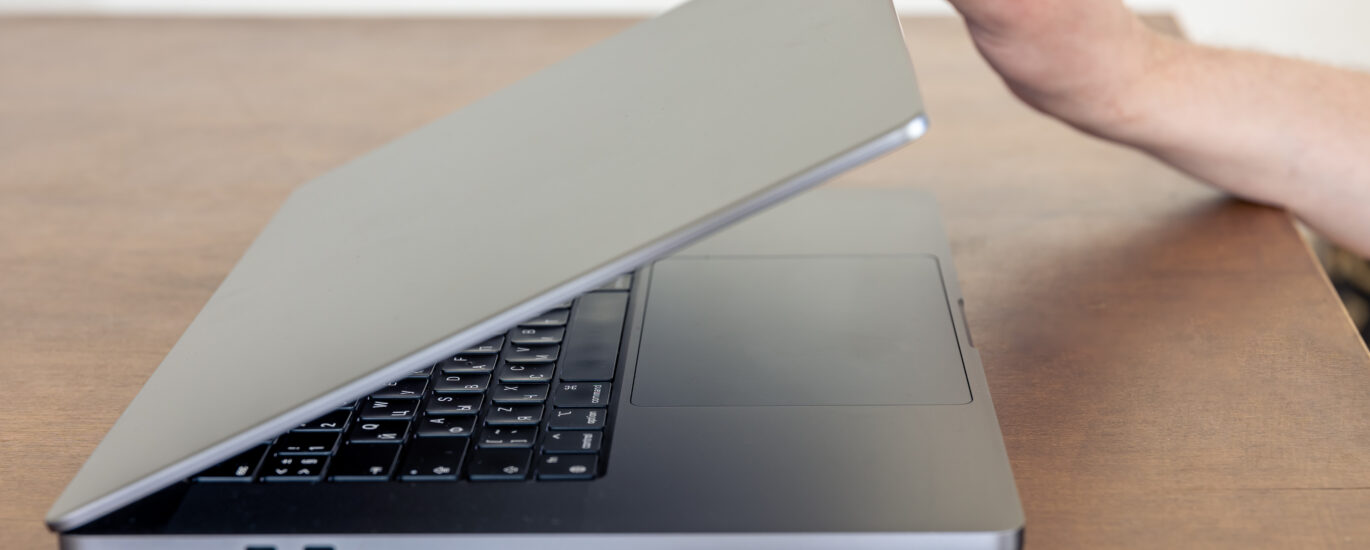
A bending laptop screen can be a frustrating problem for any user, often caused by accidental drops, heavy pressure on the lid, or manufacturing weaknesses. When a laptop experiences laptop chassis damage, it may result in misaligned laptop body, uneven hinges, or even distorted laptop ports.

These issues not only affect the screen but can also lead to laptop component stress, restricted airflow, and long-term laptop heat issues. Ignoring a bending laptop screen can reduce your laptop’s performance and longevity. This guide will show you how to identify the causes, assess the damage, and safely repair your laptop frame step by step, restoring both functionality and structural integrity.
What Causes Laptop Frame Damage?

Laptop frames are surprisingly fragile. Laptop drop damage is one of the most common reasons a chassis becomes bent or warped. Even a fall from a desk can misalign the laptop body and cause pressure on the hinges, resulting in bent hinge area repair challenges. Over time, repeated stress from opening and closing the laptop or placing heavy objects on it contributes to frame warping issues.
Environmental factors also play a role. Laptops exposed to extreme heat may develop laptop heat issues, which can slightly warp the frame or distorted laptop ports. Poor design in ultra-thin laptops often leads to damaged laptop hinges and laptop structural alignment problems under normal usage. Recognizing these causes helps prevent further damage and guides proper repair planning.
Signs Your Laptop Frame Is Bent or Misaligned
One clear sign of a bent laptop frame is a bending laptop screen. If the screen tilts when opening or closing, the hinges may be under stress. Additionally, misaligned screws or compromised ports indicate that the frame’s integrity has been compromised. Some users notice restricted airflow, which increases fan activity and may cause laptop overheating due to frame issues.
Other symptoms include uneven keyboard or trackpad alignment, wobbling on flat surfaces, and visible gaps between the laptop bottom cover and the main chassis. These signs suggest laptop component stress or laptop internal alignment problems. Early detection of these issues ensures repairs are easier and reduces the risk of long-term damage.
Tools & Materials Required for Repair
Repairing a bending laptop screen requires proper laptop frame repair tools. Essential tools include a set of precision screwdrivers, prying tools, tweezers, and a magnetic mat to organize screws during the laptop disassembly process. A plastic shim can help realign the frame without causing scratches, while a heat gun may be needed to adjust metal frames carefully.
Materials like soft microfiber cloths, adhesive strips, and clamps are also necessary to hold the frame in place during laptop frame straightening. Using proper laptop disassembly tools reduces the risk of damaged laptop hinges or distorted laptop ports, ensuring a safer and more precise repair.
Preparing Your Workspace for Safe Repair
A clean and organized laptop workspace setup is essential. Ensure you have a flat, well-lit surface, keep all laptop repair tools within reach, and use a magnetic mat to prevent losing screws during laptop bottom cover removal. Wearing an anti-static wristband protects sensitive components.
Organizing your workspace reduces mistakes during laptop reassembly procedure and minimizes risk of laptop physical damage fixes. Avoid clutter, keep cables and accessories away, and make sure you have a dedicated area for small parts. Following proper laptop repair safety steps improves accuracy and ensures a smooth repair process.
How to Assess the Damage Before Repairing
Start by identifying bent areas on the laptop frame. Check hinges, corners, and areas near ports for visible distortion. Evaluating subtle bends is crucial for evaluating frame severity and deciding whether a DIY fix is feasible or if professional help is needed.
Next, examine misaligned screws and compromised ports, and check for laptop component stress or laptop fan obstruction. Use a straight edge or ruler to detect uneven surfaces. Proper assessment ensures the structural integrity of your laptop and guides an efficient laptop frame inspection before repair.
Step-by-Step Laptop Frame Repair Guide
The repair begins by powering down the laptop and removing all peripherals. Carefully remove the laptop bottom cover using prying tools, then disconnect components while keeping screws organized on a magnetic mat.Disassembling components in the correct order prevents further laptop chassis damage.
Once open, address the bends by carefully straightening the frame. Minor bends can be corrected with pliers, while more stubborn areas may require gentle heat gun usage. A plastic shim can help align corners and bent hinge area repair. After straightening, the laptop reassembly procedure involves reconnecting components, securing screws, and confirming all parts are properly aligned.
Post-Repair Testing & Quality Check
After repair, test the laptop by opening and closing the screen to ensure no bending laptop screen issues remain. Check all distorted laptop ports and verify proper functionality of USB, HDMI, and other connectors. Running diagnostics helps evaluate performance impact, battery and charging efficiency, and checking software performance.
Ensure restricted airflow has been corrected to prevent laptop overheating due to frame issues. Verify that the laptop fan obstruction is cleared and ensuring heat dissipation is effective. Proper testing confirms successful fixing a damaged laptop case and restores full laptop structural alignment.
What Are Rollable Laptop Displays?
Rollable displays are flexible screens that extend or retract to increase screen size without increasing device bulk. Unlike standard laptops, these designs prevent traditional bent laptop frame issues and reduce laptop durability problems caused by excessive hinge stress.
The technology uses materials that resist bending while maintaining screen quality. While experimental, rollable displays may address frame warping issues, offering smooth transitions without affecting laptop internal alignment. They represent a new era in laptop design and usability.
How Lenovo’s Rollable ThinkBook Is Changing Laptop Design
Lenovo’s rollable ThinkBook demonstrates the potential of flexible laptops. The device allows the screen to expand like a scroll while keeping the frame protected. Unlike traditional laptops that may suffer laptop chassis damage, this design avoids stress on hinges and reduces bending laptop screen problems.
Reinforced structures and tension control mechanisms ensure that laptop frame straightening will rarely be needed, even with frequent use. It combines innovation and durability, addressing typical laptop physical damage fixes and laptop component stress challenges. Lenovo’s ThinkBook is a glimpse into laptops built to last.
Future of Laptop Frames & Display Technology
Laptop frames are evolving with stronger materials such as magnesium alloys and carbon fiber to resist frame warping issues. Combined with flexible or rollable displays, these innovations reduce laptop internal alignment and distorted laptop ports problems.
Future designs will likely integrate laptop heat issues management, lighter frames, and more durable hinges to minimize bent hinge area repair. Regular routine inspections, proper handling, and preventive measures will continue to play a role, ensuring laptops remain functional for years while embracing the next generation of display technology.
Conclusion
Repairing a laptop’s bent frame doesn’t have to feel overwhelming, especially when you understand the exact cause, the signs of misalignment, and the right techniques to fix it safely. Whether the damage came from a drop, pressure inside a backpack, or a hinge issue that led to a bending laptop screen, a careful step-by-step approach can restore your laptop’s structure and performance. As long as you prepare your workspace, use the right tools, and follow a precise repair method, you can bring a warped or damaged frame back to life without risking internal components.
At the same time, the future of laptop durability is changing fast. Innovations like Lenovo’s rollable ThinkBook and flexible display technology hint at a world where bent frames and screen pressure damage become far less common. By staying informed and taking care of your device today, you’re protecting both your investment and your productivity tomorrow. If your laptop is already showing signs of frame issues, consider using this expert guide to restore it—or consult a professional for severe damage.
FAQs
Q1: How to straighten a bent laptop screen?
You can straighten a bent laptop screen by carefully disassembling the frame, using prying tools, and gently realigning the hinges and chassis while protecting internal components.
Q2: How much does it cost to fix a bent laptop screen?
The cost varies depending on severity, brand, and repair method, typically ranging from $50 to $250 for professional service.
Q3: How do I straighten my laptop screen?
Power off the laptop, remove the bottom cover, and carefully adjust the frame using laptop frame straightening techniques or a professional repair kit.
Q4: Is it worth fixing a laptop screen?
Yes, if the laptop is otherwise functional, repairing a bent screen restores structural integrity and prevents further laptop component stress.
Q5: What is the most common failure issue in laptops?
Common issues include damaged laptop hinges,bent laptop frame, overheating, and distorted laptop ports caused by drops or physical stress.
Meta Description
Learn how to fix a bending laptop screen with step-by-step repair tips, tools, and preventive measures for lasting results.